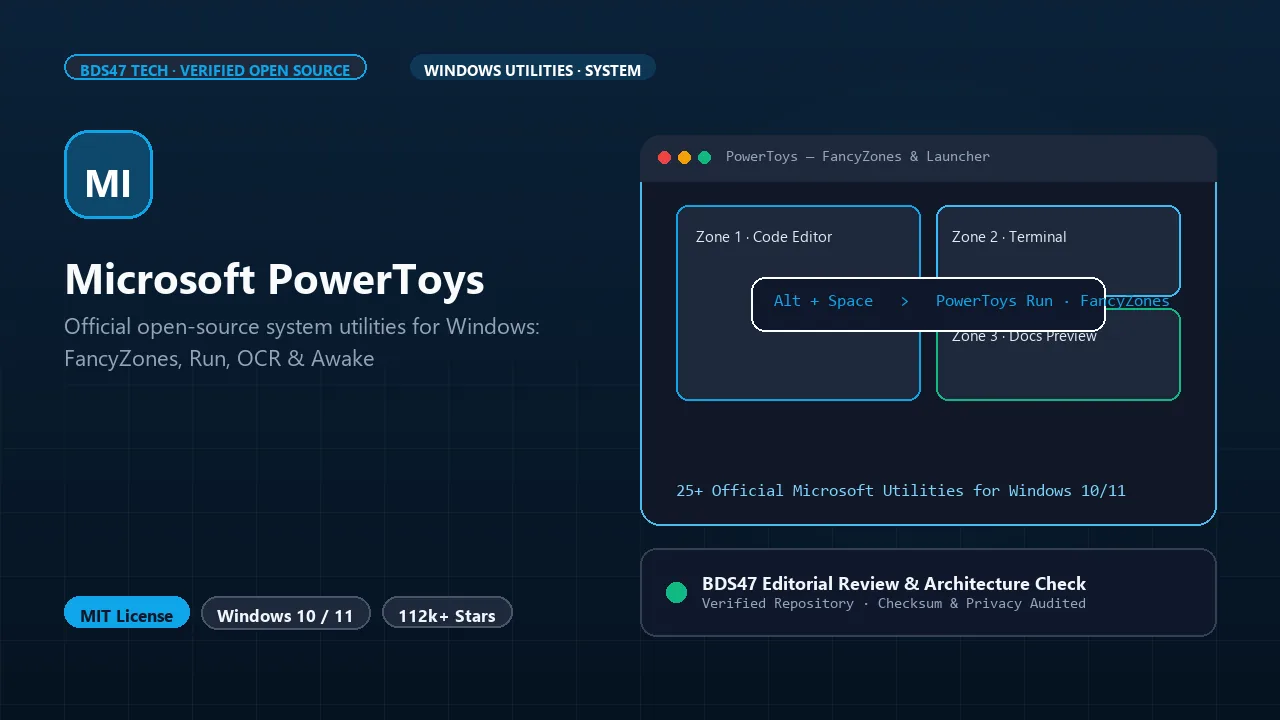
Backed officially by Microsoft Engineers and over 112,000 GitHub stars, Microsoft PowerToys is an essential MIT-licensed suite of 25+ system utilities that supercharge window management, quick launching, file previewing, and keyboard remapping on Windows 10 and Windows 11.
Quick Answer: Microsoft PowerToys (MIT license, release v0.90.1) is a verified tool supporting Windows 10, Windows 11 with 122,500 GitHub stars. It avoids proprietary lock-in while offering transparent source code, predictable RAM/CPU footprint, and flexible self-hosted or local deployment.
1. Technical Architecture & How Microsoft PowerToys Works
Engineered in C++ and C# (.NET / WinUI 3) using a modular daemon architecture, PowerToys lets you toggle each of its 25+ utilities independently so disabled modules consume zero background memory.
| Technical Specification | Verified Details |
|---|---|
| Project & Tracked Release | this tool (Stable release: v0.90.1) |
| Upstream Repository | microsoft/PowerToys (122.500 Stars · 7.300 Forks) |
| SPDX Software License | MIT — Open-source and auditable |
| Supported Platforms | Windows 10, Windows 11 |
| Resource Footprint | ~90–160 MB RAM (depending on enabled modules) · Native Windows 11 WinUI 3 integration |
| Primary Alternatives | Flow Launcher / AutoHotkey |
2. Quick Installation & CLI Deployment
To maintain clean supply-chain security and avoid third-party bundled installers, you can deploy this software directly via official package managers or upstream release binaries:
winget install --id Microsoft.PowerToys -e
# Or install from Microsoft Store / GitHub Releases: microsoft/PowerToys
3. Key Engineering Strengths in Daily Use
- FancyZones transforms ultrawide and multi-monitor window management with custom snap layouts triggered by holding
Shiftwhile dragging. - PowerToys Run (
Alt + Space) provides an instant, Spotlight-style launcher for apps, shell commands, unit conversions, and window switching. - Text Extractor (
Win + Shift + T) performs instant on-screen OCR to copy text out of images, videos, and non-selectable dialogs. - Includes indispensable system tools: File Locksmith (identifies which process is locking a file), Awake, Color Picker, Always on Top, and Advanced Paste.
4. Practical Limitations & Trade-Offs
- Enabling all 25+ modules simultaneously increases background process count and memory footprint (~200 MB).
- Default global hotkeys can occasionally collide with IDE or creative software shortcuts until customized.
5. Head-to-Head: this tool vs. Flow Launcher / AutoHotkey
Instead of installing half a dozen disparate third-party tray utilities for window pinning, screen OCR, and batch file renaming, PowerToys consolidates them into one Microsoft-signed, MIT-licensed package.
6. Configuration & Security Tips from BDS47 Tech
Performance tip: Open the PowerToys dashboard after installation and disable any modules you rarely use (such as Mouse Without Borders or Registry Preview) to keep background RAM usage under 100 MB.
Production Deployment, Security & Backup Best Practices
When moving any self-hosted service or local workspace from initial testing into daily production, isolate the container listener behind a TLS reverse proxy such as Caddy or Nginx rather than exposing raw HTTP ports directly on a public interface. Binding web interfaces to loopback addresses prevents unencrypted credential interception and simplifies automated Let’s Encrypt certificate renewal.
Before upgrading major container tags, stop the running service or trigger an atomic SQLite snapshot so embedded configuration state, user permissions, and historical telemetry remain consistent. Pinning explicit semantic version tags inside Compose manifests prevents unexpected breaking schema migrations when pulling upstream releases, while scheduled off-site volume backups allow full disaster recovery on fresh hardware within minutes.
Finally, monitor resident memory usage under sustained load and configure explicit container restart policies alongside resource limits so background tasks cannot starve co-hosted applications on smaller single-board computers or 1–2 GB virtual private servers.
Official Resources & Related Open-Source Tools
- Official Project Website: Official project homepage and documentation.
- Source Code & Releases: Official upstream GitHub repository.
- Category Directory: Explore related utilities inside the Productivity open-source catalog.
- Related Software Reviews: Compare with our in-depth Stirling-PDF technical review and in-depth Joplin technical review.
- Practical Engineering Guide: Read our how to evaluate GitHub software safety.