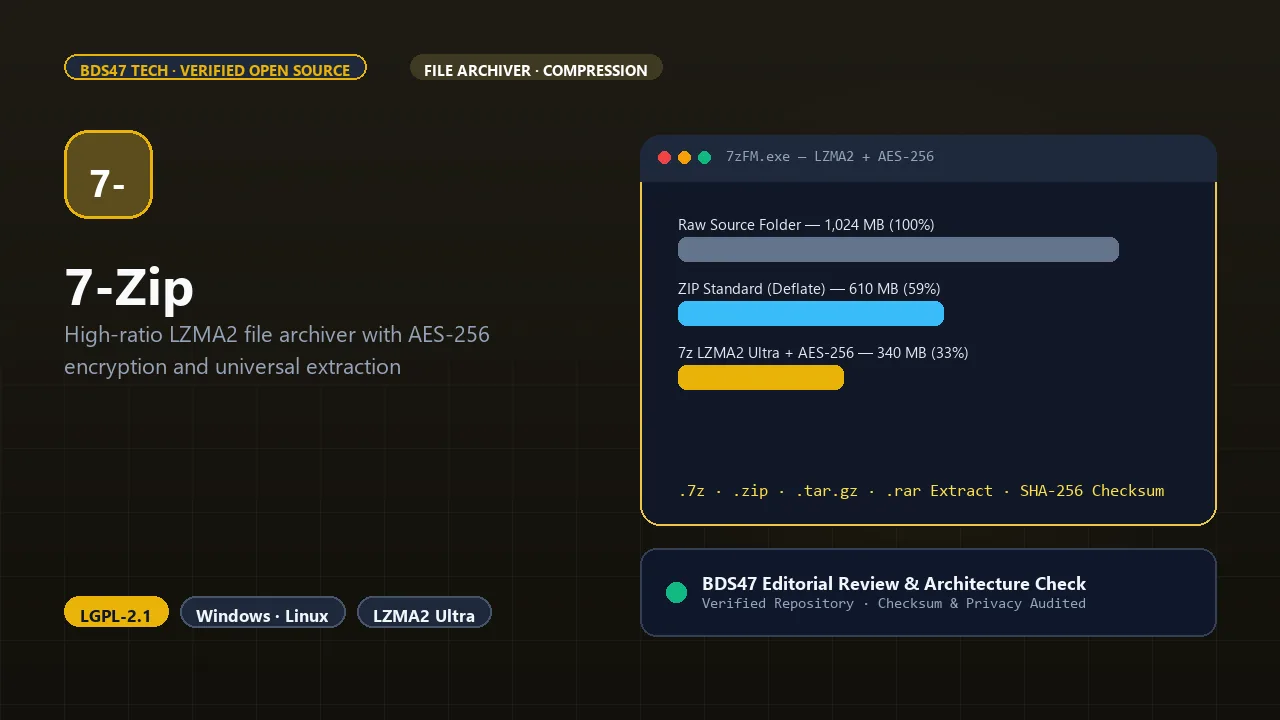
For over two decades, Igor Pavlov’s 7-Zip has remained the gold standard for file compression on Windows. Weighing under 2 MB with zero nag screens, zero ads, and an open-source LGPL license, it delivers industry-leading LZMA2 compression ratios and built-in AES-256 archive encryption.
Quick Answer: 7-Zip (LGPL-2.1 license, release v24.09) is a verified tool supporting Windows, Linux, macOS (CLI) with 16,800 GitHub stars. It avoids proprietary lock-in while offering transparent source code, predictable RAM/CPU footprint, and flexible self-hosted or local deployment.
1. Technical Architecture & How 7-Zip Works
Powered by multi-threaded LZMA and LZMA2 compression algorithms, this software produces .7z archives significantly smaller than standard Deflate ZIP files while supporting full AES-256 payload and header (filename) encryption.
| Technical Specification | Verified Details |
|---|---|
| Project & Tracked Release | this tool (Stable release: v24.09) |
| Upstream Repository | ip7z/7zip (16.800 Stars · 1.250 Forks) |
| SPDX Software License | LGPL-2.1 — Open-source and auditable |
| Supported Platforms | Windows, Linux, macOS (CLI) |
| Resource Footprint | Ultra-light ~1.6 MB installer · High-speed extraction integrated into the context menu |
| Primary Alternatives | PeaZip / NanaZip |
2. Quick Installation & CLI Deployment
To maintain clean supply-chain security and avoid third-party bundled installers, you can deploy this tool directly via official package managers or upstream release binaries:
winget install --id 7zip.7zip -e
# Compress a folder via CLI with AES-256 encryption & header hiding:
7z a -t7z -m0=lzma2 -mx=9 -mhe=on -p backup.7z ./project-folder
3. Key Engineering Strengths in Daily Use
- Extracts virtually every archive and disk image format:
7z, ZIP, RAR/RAR5, TAR, GZ, XZ, BZ2, ISO, WIM, VHD, DMG, DEB, RPM, MSI. - Built-in right-click CRC SHA → SHA-256 context menu lets you verify downloaded installer checksums in two clicks.
- Supports AES-256 encryption with header encryption (
-mhe=on) so archive filenames remain hidden until unlocked. - Tiny ~1.6 MB footprint with zero background telemetry or startup processes.
4. Practical Limitations & Trade-Offs
- Classic Win32 File Manager interface looks utilitarian compared to modern Fluent UI apps.
- On Windows 11, the classic context menu requires holding
Shift + Right-Click(or installing NanaZip for native Windows 11 context menu integration).
5. Head-to-Head: this tool vs. PeaZip / NanaZip
Compared to WinRAR (proprietary shareware), the application is completely free for both personal and commercial enterprise deployments while still extracting RAR5 archives effortlessly.
6. Configuration & Security Tips from BDS47 Tech
Security tip: When creating password-protected archives in the platform, always choose the 7z format, select AES-256, and check the box for Encrypt file names—standard ZIP encryption leaves filenames visible in plaintext.
Official Resources & Related Open-Source Tools
- Official Project Website: Official project homepage and documentation.
- Source Code & Releases: Official upstream GitHub repository.
- Category Directory: Explore related utilities inside the Windows Software open-source catalog.
- Related Software Reviews: Compare with our in-depth LocalSend technical review and in-depth Stirling-PDF technical review.
- Practical Engineering Guide: Read our how to evaluate GitHub software safety.