LocalSend solves one of the most persistent headaches in multi-OS workflows: transferring uncompressed photos, 4K videos, and multi-gigabyte project folders between Windows, Linux, macOS, Android, and iOS over your local Wi-Fi or Ethernet network—with zero cloud intermediaries and no user accounts.
Quick Answer: LocalSend (Apache-2.0 license, release v1.18.2) is a verified tool supporting Windows, macOS, Linux, Android, iOS with 97,116 GitHub stars. It avoids proprietary lock-in while offering transparent source code, predictable RAM/CPU footprint, and flexible self-hosted or local deployment.
1. Technical Architecture & How LocalSend Works
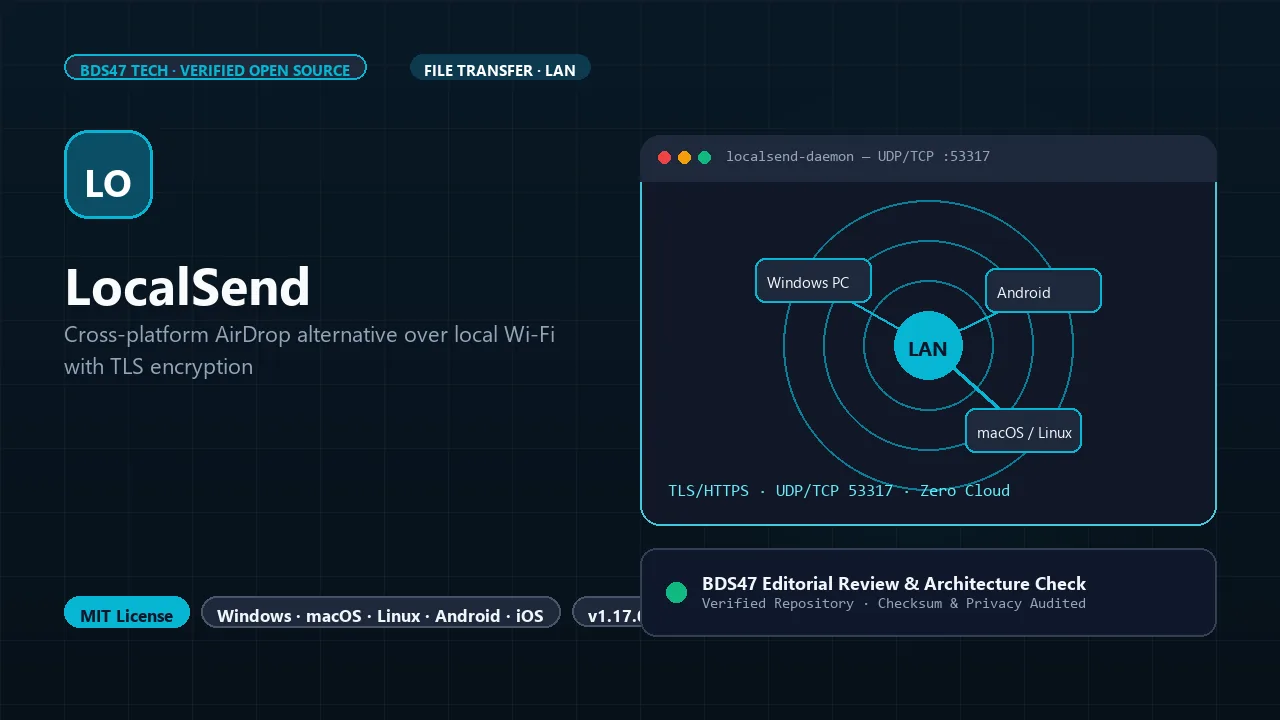
Under the hood, this software spins up a lightweight local HTTPS/REST server bound to port 53317 (both UDP multicast for peer discovery and TCP for payload streaming). Each instance generates an ephemeral TLS certificate on the fly, ensuring every packet transferred across the local subnet is encrypted end-to-end.
| Technical Specification | Verified Details |
|---|---|
| Project & Tracked Release | this tool (Stable release: v1.18.2) |
| Upstream Repository | localsend/localsend (97.116 Stars · 5.521 Forks) |
| SPDX Software License | Apache-2.0 — Open-source and auditable |
| Supported Platforms | Windows, macOS, Linux, Android, iOS |
| Resource Footprint | ~65–110 MB RAM during active transfers · ~15–45 MB lightweight Flutter native installer |
| Primary Alternatives | KDE Connect / Syncthing |
2. Quick Installation & CLI Deployment
To maintain clean supply-chain security and avoid third-party bundled installers, you can deploy this tool directly via official package managers or upstream release binaries:
winget install --id LocalSend.LocalSend -e
# Or install on macOS / Linux:
brew install --cask localsend
flatpak install flathub org.localsend.localsend_app
3. Key Engineering Strengths in Daily Use
- Preserves 100% original file bitstreams, EXIF metadata, and nested folder hierarchies with no file-size caps.
- True cross-platform parity across Windows (Installer & Portable ZIP), macOS, Linux, Android, and iOS.
- Includes a built-in Web Server mode so devices without the app installed can still download shared files via a local browser URL.
- Zero telemetry, zero advertisements, and verifiable open-source code under the Apache-2.0 license.
4. Practical Limitations & Trade-Offs
- Requires peer-to-peer subnet visibility; guest Wi-Fi networks with AP/Client Isolation or active full-tunnel VPNs will block discovery.
- iOS background execution limits require keeping this tool open on screen during multi-gigabyte transfers on iPhones and iPads.
- Designed for interactive file sharing rather than automated background directory synchronization.
5. Head-to-Head: this tool vs. KDE Connect / Syncthing
Compared to KDE Connect (which pairs devices persistently for clipboard, notification, and remote input integration), the application requires zero prior pairing and works better with iOS. Compared to Syncthing, this software is built for on-demand ad-hoc transfers rather than continuous background folder mirroring.
6. Configuration & Security Tips from BDS47 Tech
If your Windows PC does not appear on your phone, verify that your Windows Wi-Fi profile is set to Private Network rather than Public, and confirm that inbound UDP/TCP port 53317 is permitted in Windows Defender Firewall. You can also bypass multicast issues entirely by entering the target device’s local IP address (or last octet) manually.
Official Resources & Related Open-Source Tools
- Official Project Website: Official project homepage and documentation.
- Source Code & Releases: Official upstream GitHub repository.
- Category Directory: Explore related utilities inside the Android Apps open-source catalog.
- Related Software Reviews: Compare with our in-depth KDE Connect technical review and in-depth Organic Maps technical review.
- Practical Engineering Guide: Read our step-by-step LocalSend Windows install guide.