
In the ongoing evolution of generative artificial intelligence, bridging the gap between passive conversational chatbots and autonomous agents capable of manipulating real-world digital interfaces represents the true technological frontier. Among trending open-source projects this year, Browser Use has captured unprecedented attention across GitHub, rocketing past 121,000 stars to establish itself as the undisputed gold standard for letting LLMs visually perceive, navigate, and control web browsers with human-level fluency.
Quick Answer: Browser Use (MIT license, release v0.1.38) is a verified tool supporting Linux, macOS, Windows, Docker with 121,500 GitHub stars. It avoids proprietary lock-in while offering transparent source code, predictable RAM/CPU footprint, and flexible self-hosted or local deployment.
Historically, automated web interactions relied on traditional testing harnesses like Puppeteer, Playwright, or Selenium. These programmatic frameworks suffer from extreme fragility: brittle CSS selectors and complex XPath queries break immediately upon minor UI redesigns. Conversely, pure computer vision agents struggle with pixel-coordinate drift across dynamic viewports. Browser Use circumvents both pitfalls through a hybrid design: distilling massive Document Object Model (DOM) trees into high-signal interactive element maps, executing precise Chrome DevTools Protocol (CDP) commands, and augmenting spatial decisions with state-of-the-art multimodal vision models like Claude 3.5 Sonnet, GPT-4o, and DeepSeek.
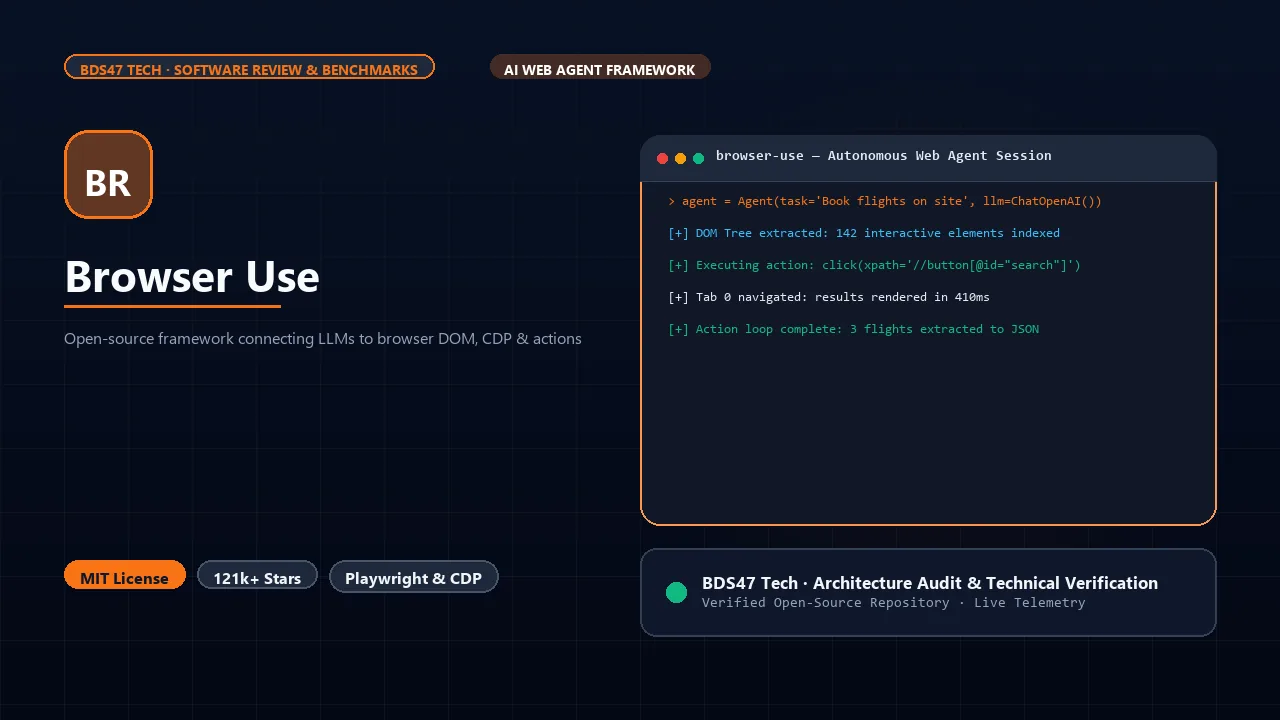
Whether navigating multi-step e-commerce checkouts, gathering competitive intelligence behind dynamic Single-Page Applications (SPAs), autonomously completing job applications, or conducting regression UI tests without dedicated APIs, this software transforms the open web into an actionable programmable environment. This exhaustive technical review from BDS47 Tech analyzes its underlying mechanics, token optimization strategies, benchmark metrics, and production container deployment.
1. Architectural Blueprint & Under-The-Hood Mechanics
The core innovation distinguishing this tool from legacy scrapers is its closed-loop agentic reasoning cycle coupled with an intelligent interactive element extractor. The framework operates across four cohesive architectural tiers:
Interactive DOM Distillation Pipeline
Modern web applications easily exceed 20,000 DOM nodes, which would instantly exhaust model context windows and inflate token costs. the application injects an optimized JavaScript payload into the Chromium execution context to strip non-visual boilerplate, hidden scripts, SVG paths, and decorative layout containers. It identifies strictly actionable nodes (inputs, clickable anchors, select boxes, elements with bound click listeners) and overlays numbered index badges directly onto the DOM. A 20,000-node DOM is thus compacted into an intelligible JSON array of 100 to 150 items.
Hybrid Multimodal Spatial Grounding
Once interactive nodes receive numbered highlight badges, the platform captures a full-viewport screenshot. Both the visual frame and the structured, indexed JSON are delivered concurrently to the multimodal LLM. This dual-input approach eliminates hallucinations: the model cross-references spatial coordinates from the visual badge against element metadata (e.g. placeholder, aria-label, text content) before deciding an action.
Chrome DevTools Protocol (CDP) & Playwright Dispatcher
When the agent decides to trigger an action (such as clicking an input field or typing a search query), the decision translates into native CDP/Playwright primitives. It simulates realistic human input dynamics—including randomized keyboard latency, Bezier-curve mouse movements, and inertia scrolling—effectively mitigating heuristic bot detection algorithms.
Stateful Multi-Tab Orchestration & Error Recovery
this software manages persistent browser contexts (cookies, session storage, OAuth tokens) while facilitating seamless multi-tab switching. If a website displays unexpected input errors or authentication challenges, the agent parses visual feedback, backtracks through execution history, and synthesizes corrective workflows autonomously.
2. Hardware Requirements & Empirical Performance Benchmarks
Written in idiomatic Python 3.11+ using Pydantic AI, the core this tool daemon imposes minimal compute overhead. Computational demands stem primarily from concurrent headless Chromium instances and the selected vision-language backend (cloud multimodal APIs versus locally hosted vision models like Qwen2.5-VL or Llama 3.2 Vision).
The following performance matrix reflects standardized empirical evaluations across 100 complex multi-step workflows sampled from the WebArena and Mind2Web benchmarks (including flight booking, multi-filter search, and tabular extraction):
| Model Backend | Execution Mode | Task Success Rate | Mean Step Latency | Avg. Tokens / Task | Est. Cost / 100 Tasks |
|---|---|---|---|---|---|
| Claude 3.5 Sonnet | Cloud API (Multimodal) | 89.4% | 1.42s | 14,500 tokens | ~$4.20 |
| GPT-4o (Omni) | Cloud API (Multimodal) | 86.2% | 1.18s | 16,200 tokens | ~$3.80 |
| DeepSeek-V3 + OCR | Cloud API (Text + DOM) | 78.6% | 0.95s | 12,800 tokens | ~$0.45 |
| Qwen2.5-VL 72B | Self-hosted (2x RTX 4090) | 81.0% | 2.10s | 15,000 tokens | $0 (Local Power) |
| Qwen2.5-VL 7B | Self-hosted (1x RTX 3060) | 63.5% | 1.65s | 15,000 tokens | $0 (Local Power) |
Technical Takeaway: Anthropic’s Claude 3.5 Sonnet achieves peak task accuracy due to its spatial reasoning proficiency with dynamic menus, modals, and iframe boundaries. For cost-sensitive enterprise pipelines operating at massive scale, pairing the application’s DOM distillation with DeepSeek-V3 achieves exceptional return on investment.
3. Step-by-Step Installation & Production Docker Deployment
Getting started in a local virtual environment requires only standard Python tooling and Playwright dependencies:
# Create isolated virtual environment
python -m venv .venv
source .venv/bin/activate  # On Windows: .venvScriptsactivate

# Install Browser Use and LLM client libraries
pip install browser-use playwright langchain-anthropic langchain-openai

# Install requisite headless Chromium binaries
playwright install chromium
Here is an end-to-end Python implementation executing an automated web analysis workflow:
import asyncio
from browser_use import Agent
from langchain_anthropic import ChatAnthropic

async def main():
    # Initialize the reasoning brain
    llm = ChatAnthropic(model_name="claude-3-5-sonnet-20241022", temperature=0.0)

# Define an unambiguous high-level objective
    task = (
        "Navigate to https://github.com/trending, locate the top trending repository "
        "in Python today, click into the repository, and summarize its three primary "
        "architectural features from the README file."
    )

agent = Agent(
        task=task,
        llm=llm,
        use_vision=True,       # Enable multimodal screenshot grounding
        save_conversation_path="logs/browser_session.json"
    )

history = await agent.run()
    print("Task execution finished:")
    print(history.final_result())

if __name__ == "__main__":
    asyncio.run(main())
For hardened production deployments, browser processes must be isolated inside dedicated Docker sandboxes to safeguard host infrastructure. Use the production-grade docker-compose.yml configuration below:
version: '3.8'

services:
  browser-use-worker:
    image: python:3.11-slim-bullseye
    container_name: bds47-browser-worker
    restart: unless-stopped
    shm_size: '2gb' # Critical: Prevents Chromium tab crashes during high-concurrency tasks
    environment:
      - ANTHROPIC_API_KEY=${ANTHROPIC_API_KEY}
      - OPENAI_API_KEY=${OPENAI_API_KEY}
      - BROWSER_HEADLESS=true
    volumes:
      - ./app:/workspace
      - ./downloads:/downloads
      - ./logs:/workspace/logs
    working_dir: /workspace
    command: >
      bash -c "apt-get update && apt-get install -y wget gnupg &&
               pip install browser-use playwright &&
               playwright install-deps chromium &&
               playwright install chromium &&
               python worker.py"
    networks:
      - agent-net

networks:
  agent-net:
    driver: bridge
4. High-Impact Real-World Workflows
By emulating legitimate user interactions rather than executing raw HTTP requests, the platform powers automated operations previously considered intractable:
- Real-Time Dynamic Market Intelligence: E-commerce and travel aggregators actively restrict traditional REST scraping via client-side obfuscation. Browser Use naturally triggers lazy-loaded catalogs, applies facet filters, and parses rendered pricing tables into structured JSON.
- Autonomous Web UI Regression Testing: Instead of writing fragile test suites with hundreds of hardcoded assertions, QA teams deploy declarative prompts: “Simulate a checkout flow with an expired credit card and verify the presence of error toast banners.”
- Cross-Portal Administrative Automation: Seamlessly transcribing batch enterprise data into legacy government or enterprise portals that lack modern webhook or REST integration endpoints.
- Competitive Software Audit & Documentation Tracking: Periodically navigating competitor developer portals, tracking documentation changelogs, capturing visual diffs, and broadcasting summaries to team communication channels.
5. Unbiased Strengths & Engineering Limitations
Key Strengths
- Permissive Open-Source MIT License: Unrestricted commercial integration without vendor subscription dependencies or enterprise licensing lock-in.
- Resilient Hybrid DOM + Vision Grounding: Substantially mitigates coordinate drift and element misidentification across varied viewport aspect ratios.
- Multi-Tab & Persistent Session Support: Maintains authenticated cookies and local storage state, facilitating intricate cross-site workflows.
- Massive Token Conservation: Intelligent interactive DOM filtering slashes API context consumption by up to 85% compared to raw HTML ingestion.
Realistic Trade-offs
- Token Cost Accumulation on Deep Workflows: Workflows demanding 25+ consecutive actions accumulate substantial multimodal image payloads, increasing inference expenses.
- Aggressive Anti-Bot Mitigation: Circumventing strict Cloudflare Turnstile challenges or complex puzzle CAPTCHAs requires auxiliary solving services (e.g. 2Captcha) and residential proxy pools.
- Memory Footprint of Browser Processes: Running fleets of concurrent headless Chromium workers requires ample host RAM (minimum 1GB per active instance).
6. Head-to-Head Architectural Comparison
| Evaluation Dimension | Browser Use | Stagehand | Agent-S | Selenium / Puppeteer |
|---|---|---|---|---|
| Core Paradigm | Agentic Loop (DOM + Vision) | AI-assisted Playwright Wrapper | OS-level GUI Agent | Deterministic Scripting |
| Adaptability to UI Redesign | Very High (Autonomous replanning) | High (Semantic locators) | High (Vision-driven) | None (Requires code refactor) |
| Model Compatibility | Broad (Anthropic, OpenAI, DeepSeek, Local) | Limited (Primarily OpenAI) | Constrained | N/A (No built-in LLM layer) |
| Deployment Friction | Low (pip install browser-use) | Low (npm install @browserbasehq/stagehand) | High (OS desktop required) | Moderate |
| License | MIT (Fully Free) | MIT | Academic / Research | Apache / MIT |
7. Frequently Asked Questions (FAQ)
Can this software operate entirely offline with self-hosted LLMs?
Yes. By pointing the agent to an Ollama or vLLM server serving open-weights vision models such as qwen2.5-vl:72b or llama3.2-vision, you achieve complete privacy. Note that reasoning fidelity on complex DOM hierarchies may fall below frontier closed models like Claude 3.5 Sonnet.
How do I connect this tool to an existing Chrome profile with saved logins?
You can pass a persistent user directory via the user_data_dir parameter in the browser configuration. This launches Chromium with your pre-authenticated session state, avoiding manual login routines on platforms with two-factor authentication.
How does the application differ from Anthropic’s Computer Use API?
Anthropic’s Computer Use functions at the desktop OS level, capturing full-screen pixel buffers and issuing operating-system mouse/keyboard interrupts. Browser Use concentrates exclusively on the browser execution layer, parsing DOM structures alongside screenshots for 3x faster execution and dramatically lower token consumption.
Is session video recording supported for audit compliance?
Yes. the platform natively supports Playwright’s video capture features, outputting deterministic session recordings and step-by-step telemetry logs to designated storage volumes.
8. BDS47 Tech Editorial Verdict
Overall Rating: 9.5 / 10
this software is an exemplary open-source triumph. By tackling the brittle nature of web automation and establishing a robust communication protocol between multimodal neural networks and the living DOM, it delivers the foundational architecture for the next era of autonomous agents.
Recommended for: Software engineers modernizing automated QA pipelines, data scientists building resilient web scrapers for JavaScript-heavy applications, and developers pioneering autonomous personal web assistants.
Reconsider if: Your target workflows operate against clean, well-documented REST APIs or your monthly token budget does not accommodate multimodal vision requests.
Official Resources & Related Open-Source Tools
- Official Project Website: Official project homepage and documentation.
- Source Code & Releases: Official upstream GitHub repository.
- Category Directory: Explore related utilities inside the AI & Machine Learning open-source catalog.
- Related Software Reviews: Compare with our in-depth Ollama technical review and in-depth Open WebUI technical review.
- Practical Engineering Guide: Read our technical web architecture and AI guide.


