
For users seeking to experience open-weights language models (such as Llama 3.3, DeepSeek-R1, and Qwen 2.5) without navigating command-line interfaces, LM Studio stands as the benchmark desktop graphical experience. Available across Windows, macOS (Apple Silicon), and Linux, it unifies model discovery, hardware tuning, and local API serving within a polished interface.
Quick Answer: LM Studio (Freeware / Community license, release v0.3.9) is a verified tool supporting Windows, macOS, Linux with 26,000 GitHub stars. It avoids proprietary lock-in while offering transparent source code, predictable RAM/CPU footprint, and flexible self-hosted or local deployment.
1. Core Features: Hugging Face Explorer, Auto GPU Offload & Local Server
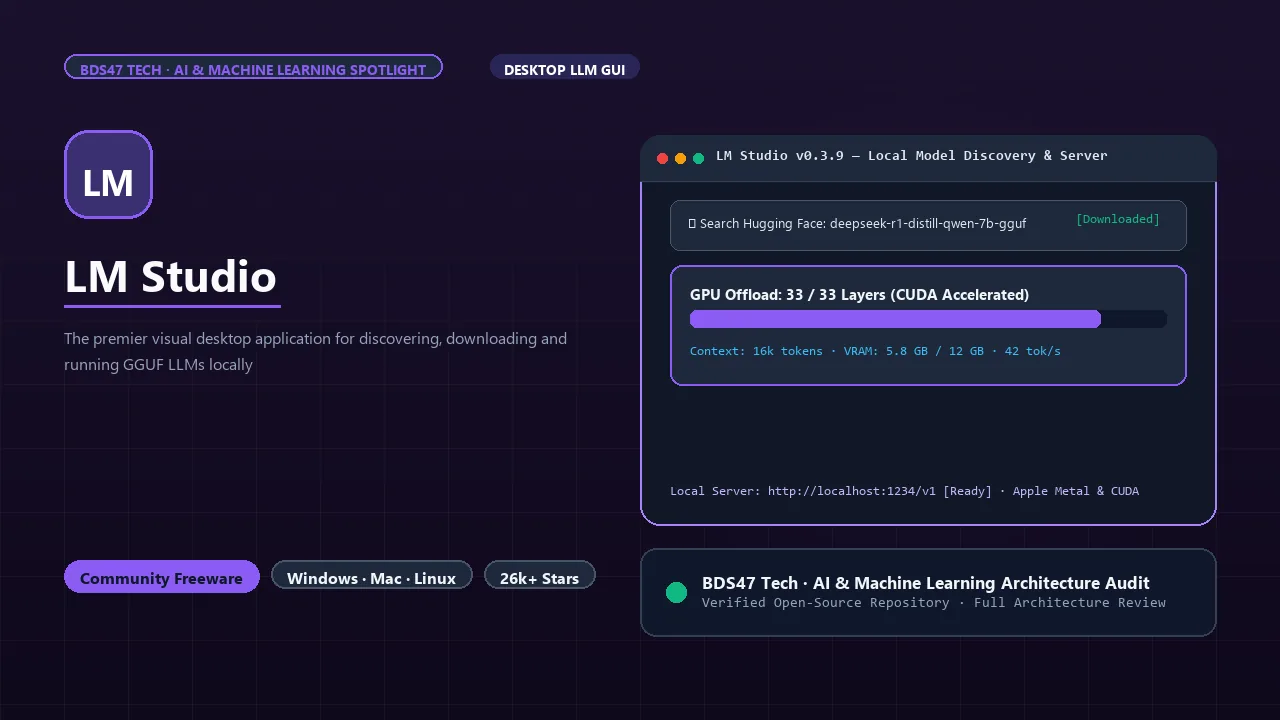
- Integrated Hugging Face Repository Browser: Eliminates manual GGUF downloading. Search any model family to inspect quantization tiers (Q4_K_M through Q8_0) with clear hardware indicators warning against potential memory overflows.
- Hardware Detection & Dynamic GPU Offloading: Automatically identifies NVIDIA CUDA, AMD ROCm, or Apple Metal unified memory architectures, offering a granular slider to split compute layers between VRAM and system memory.
- OpenAI-Compatible Local Inference Endpoint: Instantly exposes a local REST API at
http://localhost:1234/v1, enabling third-party tools (Continue.dev, AnythingLLM, custom applications) to consume local inference without code modifications. - Granular Inference Parameter Controls: Easily fine-tune temperature, top-p, repeat penalties, and system prompts tailored for software development, technical writing, or data analysis.
2. Minimum Hardware Requirements & Recommended Specifications
| Component | Minimum Specs | Recommended Specs | Workstation Tier |
|---|---|---|---|
| Operating System | Windows 10/11 64-bit, macOS 12+ | Windows 11, macOS 14 Sonoma | Linux Ubuntu / Windows 11 Pro |
| Processor (CPU) | AVX2 Support (Intel Gen 8 / Ryzen) | Apple M1/M2/M3 or Intel Gen 12+ | Apple M3/M4 Max or AMD Ryzen 9 |
| System Memory (RAM) | 16 GB DDR4 | 32 GB Unified / DDR5 | 64 GB – 128 GB RAM |
| Graphics Card (GPU) | Integrated GPU (Slow) | RTX 3060 / 4060 (8GB – 12GB) | RTX 3090 / 4090 (24GB VRAM) |
| Disk Storage | 20 GB Free SSD Space | 100 GB+ NVMe SSD Space | 500 GB+ High-Speed NVMe |
3. Comparative Analysis: LM Studio vs Ollama vs Jan AI
| Evaluation Metric | LM Studio | Ollama | Jan AI |
|---|---|---|---|
| Primary Interface | Polished Desktop GUI | Terminal CLI | Desktop GUI (Electron) |
| Source Code | Freeware (Personal Use) | Open Source (MIT) | Open Source (AGPL-3.0) |
| Direct Hugging Face Search | Native In-App | Ollama Library Only | Native In-App |
| Local API Server | Visual Server Tab | Background Daemon | Supported |
| Apple Silicon Optimization | Exceptional Performance | Very Good | Good |
4. Strengths & Considerations
Strengths:
- The most aesthetically refined, responsive graphical desktop interface for running open LLMs.
- Absolute 100% data sovereignty with zero telemetry or remote cloud inference.
- Hardware safety diagnostics prevent accidental system lockups from oversized models.
Considerations:
- Proprietary freeware license for personal use (commercial deployment requires enterprise licensing).
5. BDS47 Tech Editorial Verdict
For individuals and developers seeking to run local language models with zero terminal friction, LM Studio delivers an unmatched desktop experience that blends elegance with robust performance controls.
BDS47 Tech Score: 9.5 / 10 — The premier visual desktop application for open LLMs.
Official Resources & Related Open-Source Tools
- Official Project Website: Official project homepage and documentation.
- Source Code & Releases: Official upstream GitHub repository.
- Category Directory: Explore related utilities inside the AI & Machine Learning open-source catalog.
- Related Software Reviews: Compare with our in-depth Ollama technical review and in-depth Open WebUI technical review.
- Practical Engineering Guide: Read our technical web architecture and AI guide.


