
In generative computer vision, while Automatic1111 WebUI originally established the hobbyist foundation, ComfyUI has emerged as the definitive standard for professional digital studios, game developers, and technical artists. Built upon a Directed Acyclic Graph (DAG) node-based architecture, ComfyUI offers infinite workflow customization and hardware efficiency unmatched by monolithic interfaces.
Quick Answer: ComfyUI (GPL-3.0 license, release v0.3.14) is a verified tool supporting Windows, Linux, macOS with 65,400 GitHub stars. It avoids proprietary lock-in while offering transparent source code, predictable RAM/CPU footprint, and flexible self-hosted or local deployment.
With the release of cutting-edge diffusion architectures such as FLUX.1 (Black Forest Labs), SDXL, Wan2.1, and AnimateDiff, ComfyUI stands as the primary environment enabling consumer hardware to synthesize high-resolution imagery without memory crashes (Out of Memory – OOM).
1. Why ComfyUI Dominates Modern Generative AI Workflows
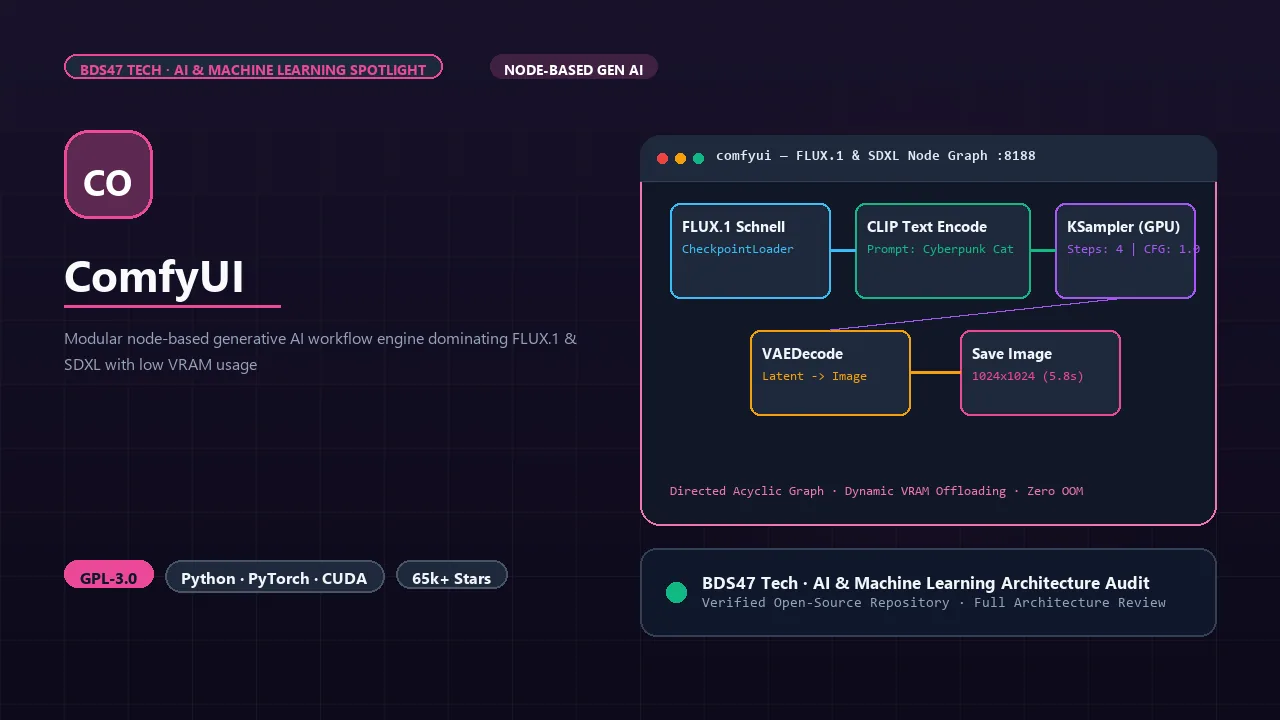
- Asynchronous Graph Execution: Every functional step (model loading, conditioning, VAE decoding, KSampler execution) is an isolated node. Modifying a text prompt or CFG parameter recomputes only dependent downstream nodes, eliminating the need to reload multi-gigabyte models into VRAM.
- Dynamic Memory Offloading: Intelligently pipelines model sub-components between GPU VRAM and system RAM during execution passes. This empowers GPUs with 8GB to 12GB VRAM (such as the RTX 3060) to render 12B FLUX.1 models seamlessly.
- Native Workflow Preservation: The complete graph structure is embedded directly into exported PNG metadata. Dragging any generated image back into the viewport immediately reconstructs the exact node configuration.
2. Hardware Specifications & FLUX.1 / SDXL Generation Benchmarks
| Diffusion Model | Native Resolution | Min VRAM | System RAM | Render Time (RTX 4070) |
|---|---|---|---|---|
| Stable Diffusion 1.5 | 512 x 512 | 4 GB VRAM | 8 GB RAM | ~1.2 seconds |
| SDXL Base | 1024 x 1024 | 6 GB VRAM | 16 GB RAM | ~4.5 seconds |
| FLUX.1 Schnell (FP8) | 1024 x 1024 | 8 GB VRAM | 16 GB RAM | ~5.8 seconds (4 steps) |
| FLUX.1 Dev (FP8 / Q4) | 1024 x 1024 | 10 GB VRAM | 24 GB RAM | ~18.2 seconds (20 steps) |
| AnimateDiff (Video Gen) | 512 x 768 (16 frames) | 8 GB VRAM | 16 GB RAM | ~22 seconds |
3. Comparative Breakdown: ComfyUI vs Automatic1111 vs Fooocus
| Capability | ComfyUI | Automatic1111 WebUI | Fooocus |
|---|---|---|---|
| Interface Archetype | Modular Node Graph | Monolithic Form Tabs | Minimalist (Midjourney-style) |
| VRAM Optimization | Industry Leading (Lowest Footprint) | Moderate (Prone to OOM) | Good (SDXL specialized) |
| FLUX.1 Support | Native & Highly Optimized | Limited | In development |
| Audience | Technical Artists, Game Studios, Pros | General Hobbyists | Beginners |
4. Strengths & Technical Considerations
Strengths:
- Flawless support for ControlNet, IP-Adapter, multi-LoRA stacking, latent upscaling, and precise inpainting.
- Massive community ecosystem on Civitai and OpenArt sharing production-ready workflow templates.
- Near-instantaneous startup times with minimal background overhead.
Considerations:
- Initial learning curve requires understanding modular computer vision pipelines and tensor transformations.
5. Frequently Asked Questions (FAQ)
Can ComfyUI leverage Apple Silicon hardware acceleration?
Yes. ComfyUI natively utilizes Metal Performance Shaders (MPS) across Apple M1/M2/M3/M4 chips, where unified memory configurations (36GB – 64GB+) provide an exceptional environment for running FLUX.1.
6. BDS47 Tech Editorial Verdict
ComfyUI represents the pinnacle of generative AI image and video synthesis. Once mastered, its modular flexibility and memory conservation make it an indispensable tool for technical creators.
BDS47 Tech Score: 9.6 / 10 — The premier node-based generative AI workstation.
Official Resources & Related Open-Source Tools
- Official Project Website: Official project homepage and documentation.
- Source Code & Releases: Official upstream GitHub repository.
- Category Directory: Explore related utilities inside the AI & Machine Learning open-source catalog.
- Related Software Reviews: Compare with our in-depth Ollama technical review and in-depth Open WebUI technical review.
- Practical Engineering Guide: Read our technical web architecture and AI guide.


