
Created by Georgi Gerganov, llama.cpp is the foundational C/C++ inference engine that sparked the local AI revolution. With zero Python runtime dependencies and first-class support for CPU SIMD and GPU acceleration, it powers Ollama, LM Studio, and Jan under the hood while giving developers fine-grained control over GGUF quantization and hardware memory mapping.
Quick Answer: llama.cpp (MIT license, release b5120) is a verified tool supporting Windows, macOS, Linux with 84,600 GitHub stars. It avoids proprietary lock-in while offering transparent source code, predictable RAM/CPU footprint, and flexible self-hosted or local deployment.
1. Technical Architecture & How llama.cpp Works
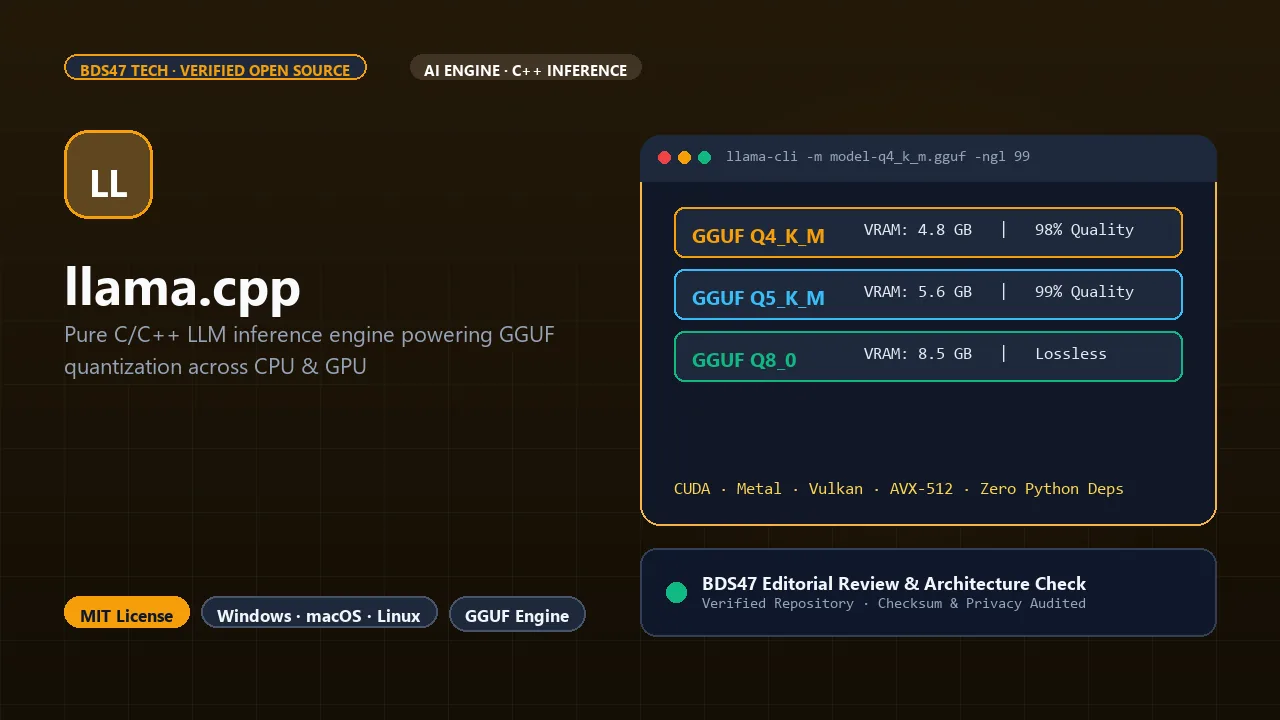
Built atop the low-level ggml tensor library, this software pioneered the single-file GGUF format and supports mixed-precision K-quants and I-quants (Q4_K_M, Q5_K_M, Q8_0) across AVX2/AVX-512 CPUs, Apple Metal, NVIDIA CUDA, AMD ROCm/HIP, and Vulkan.
| Technical Specification | Verified Details |
|---|---|
| Project & Tracked Release | this tool (Stable release: b5120) |
| Upstream Repository | ggml-org/llama.cpp (84.600 Stars · 12.450 Forks) |
| SPDX Software License | MIT — Open-source and auditable |
| Supported Platforms | Windows, macOS, Linux |
| Resource Footprint | ~15–60 MB compiled binaries · Near-instant memory-mapped (mmap) model loading |
| Primary Alternatives | Ollama / vLLM |
2. Quick Installation & CLI Deployment
To maintain clean supply-chain security and avoid third-party bundled installers, you can deploy this tool directly via official package managers or upstream release binaries:
winget install --id ggml.llamacpp -e
# Launch the inference server with the built-in web UI:
llama-server -m ./models/qwen2.5-7b-instruct-q4_k_m.gguf -c 8192 -ngl 99 --port 8080
3. Key Engineering Strengths in Daily Use
- Zero Python bloat: compiles to ultra-fast native binaries with
mmapzero-copy model loading. - Broadest hardware backend coverage available: CUDA, Metal, Vulkan (works across Intel/AMD/NVIDIA GPUs), SYCL, and ARM NEON/AVX-512.
- Advanced developer features including GBNF grammar constraints (guaranteed valid JSON output), Flash Attention (
-fa), KV-cache quantization, and speculative decoding. - Includes a fast built-in HTTP web server (
llama-server) with parallel slot batching.
4. Practical Limitations & Trade-Offs
- Requires selecting the correct pre-built binary package (CUDA vs Vulkan vs CPU) and configuring CLI flags manually.
- Rapid upstream development cycle means CLI flags and internal APIs evolve frequently.
5. Head-to-Head: this tool vs. Ollama / vLLM
Compared to Ollama, running llama-server directly gives you immediate access to cutting-edge features like KV-cache quantization (-ctk q8_0 -ctv q8_0), speculative decoding, and Vulkan GPU acceleration.
6. Configuration & Security Tips from BDS47 Tech
VRAM-saving flag combo: Pass -fa -ctk q8_0 -ctv q8_0 to llama-server to enable Flash Attention and 8-bit KV cache quantization—cutting context memory usage by ~50% with negligible quality loss.
Official Resources & Related Open-Source Tools
- Official Project Website: Official project homepage and documentation.
- Source Code & Releases: Official upstream GitHub repository.
- Category Directory: Explore related utilities inside the AI & Machine Learning open-source catalog.
- Related Software Reviews: Compare with our in-depth Ollama technical review and in-depth Open WebUI technical review.
- Practical Engineering Guide: Read our technical web architecture and AI guide.


