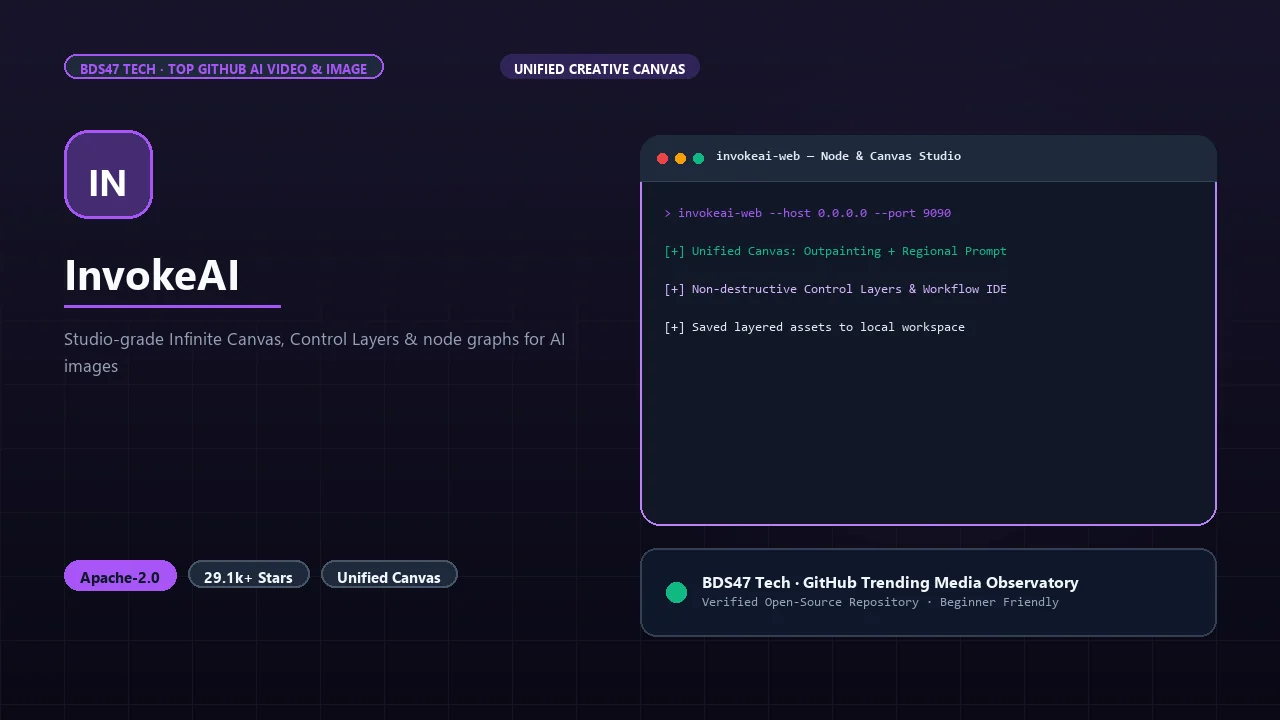
InvokeAI stands out among open-source visual generators with over 29,100 GitHub stars and a commercially friendly Apache-2.0 license. Its flagship Unified Canvas brings Photoshop-style layer brushes, non-destructive Control Layers, and precise regional prompting together inside a sleek self-hosted web studio.
Instead of rolling random prompts repeatedly when one corner of a composition misses the mark, version v6.14.4 lets illustrators and designers move an interactive bounding box directly across an infinite canvas. Beginners can install everything effortlessly via the official graphical Invoke Launcher.
1. What is InvokeAI? Beginner Creative Studio Architecture
Quick Answer for Beginners: InvokeAI is a free, open-source (Apache-2.0) visual AI studio for Windows, macOS, Linux, and Docker. Using its signature Unified Canvas, creators sketch, outpaint borders, assign regional prompts, and combine Flux or SDXL checkpoints with precision far beyond basic web forms.
1.1 Unified Canvas: Drawing Alongside AI Like a True Layered Editor
Standard web generators isolate every new image render as an unconnected file, forcing tedious trial-and-error edits. By contrast, Unified Canvas works like an endless drafting board: drag the active generation box over any canvas edge to outpaint backgrounds cleanly or mask minor flaws in place.
Built-in Regional Prompting even lets you paint separate masks for distinct characters or product items so text descriptions never bleed across adjacent subjects.
1.2 Non-Destructive Control Layers & Visual Workflow Builder
Modern v6 releases integrate stackable Control Layers—depth maps, edge guides, and style references—that stay editable independently above base artwork, alongside a full Node Workflow editor for repeatable studio automation.
Because every generated variation keeps full gallery metadata including prompt, seed, model name, and LoRA strengths attached inside your local library, revisiting any past client concept weeks later takes one click.
2. Hardware Footprint & Launcher Options
Smart memory paging supports mid-range RTX cards, Apple Silicon Macs, and centralized Docker studio deployments.
| Setup Profile | Graphics Hardware | RAM & Storage | Platform | Canvas Performance |
|---|---|---|---|---|
| Starter Workstation | NVIDIA RTX 8 GB VRAM | 16 GB RAM · 30 GB SSD | Windows 10/11 / Linux | Smooth SDXL & Unified Canvas work |
| Pro Flux Studio | RTX 3090 / 4070+ (12–24 GB) | 32 GB RAM · 80 GB NVMe | Windows / Linux / Docker | Fast Flux + multi-layer Control Layers |
| Apple Silicon Mac | M1 / M2 / M3 Pro or Max | 16–32 GB Unified | Native macOS Launcher | Clean acceleration over Apple MPS |
3. Step-by-Step Beginner Setup Guide
The official graphical Launcher manages Python dependencies and downloads automatically, sparing beginners from manual package conflicts.
Option 1: Official Invoke Launcher (Easiest for Beginners)
Visit https://invoke-ai.github.io/InvokeAI/ or the GitHub Releases page, download the Launcher app for your operating system, pick a storage folder for checkpoints, and click Install to boot straight into the studio UI.
Option 2: Python CLI Install for Linux / Windows Power Users
Inside an activated Python 3.11 environment, install the core package directly and serve the studio locally on port :9090. This lightweight CLI flow works especially well on headless Linux GPU boxes accessed through SSH port forwarding or private browser tunnels.
pip install InvokeAI --use-pep517
invokeai-web --host 127.0.0.1 --port 9090
4. Four Practical Art & Design Workflows
Interactive canvas masks turn unpredictable prompt outputs into controlled creative assets.
4.1 Seamless Outpainting for Wide Marketing Banners
Place a portrait product photograph onto Unified Canvas, shift the generation box outward along left and right borders, and extend cohesive studio lighting across 16:9 or ultrawide hero ratios.
Built-in edge feathering blends shadows and ambient gradients across box seams cleanly without ugly vertical tear lines along extended scenery.
4.2 Multi-Subject Precision With Regional Prompting
Assign isolated color palettes and outfit descriptions to painted regions so multi-character book illustrations or editorial covers follow your art direction cleanly.
You can adjust positive guidance weight independently for each painted layer mask, giving left-side and right-side subjects distinct attire, lighting moods, and surface materials inside one render.
4.3 Relighting Product Shots via Non-Destructive Control Layers
Lock exact bottle contours or device silhouettes using a Canny or Depth Control Layer while testing seasonal studio backgrounds underneath without altering brand proportions.
Keeping guidance strength configurable cleanly between early layout composition and late shading touches ensures reflective studio packaging looks natural under fresh lighting presets.
4.4 Hosting a Shared Studio Server for Design Teams
Deploy one GPU workstation running on :9090 inside Docker or a secure LAN so designers on lightweight ultrabooks access high-speed open models through any browser.
Centralizing approved brand LoRAs and style presets on one workstation keeps team storage tidy while preventing duplicate model downloads across every laptop.
5. Balanced Pros and Cons
Reviewing UI craftsmanship alongside model scope helps align the studio with your daily creative projects.
Key Advantages
- Commercial-Grade UI Polish: Feels cohesive and ergonomic like dedicated illustration software rather than a debug demo.
- Best-in-Class Canvas & Regional Control: Iterative inpainting and bounding-box expansion outshine single-pass prompt boxes.
- Apache-2.0 Business Freedom: Clean licensing appeals directly to studios, game artists, and agencies.
- Folder-Scanning Model Manager: Import existing Hugging Face or local
.safetensorsdirectories without duplicating files.
Realistic Limitations
- Focused on Still Images Over Video: Video diffusion pipelines remain the territory of ComfyUI and Wan tools.
- 30-Minute Layer Learning Curve: Complete beginners unfamiliar with masks and bounding boxes need brief orientation.
- Slower Experimental Plugin Pace: Prioritizing UI polish means niche experimental nodes arrive slightly later than on raw node graphs.
6. Comparing InvokeAI vs Stable Diffusion WebUI and ComfyUI
Compare canvas ergonomics, open-source licensing, and workflow strengths across all three popular suites.
| Dimension | InvokeAI | ComfyUI | Stable Diffusion WebUI |
|---|---|---|---|
| Core Strength | Unified Canvas + Control Layers | Modular image & video node graphs | Classic Gradio tabs + extensions |
| Source License | Apache-2.0 (business-friendly) | GPL-3.0 | AGPL-3.0 |
| Iteration Ergonomics | Top-tier layered visual brush UX | High control, steeper visual wiring | Form-driven separate tabs |
| Ideal User | Illustrators, marketers & studio teams | Pipeline engineers & video creators | Beginners following SDXL tutorials |
Creative professionals who value iterative layout control overwhelmingly favor the Unified Canvas once they experience moving a generation window across artwork instead of discarding full renders.
And thanks to zero-copy model folder scanning, you can test existing Flux or SDXL checkpoints immediately without re-downloading dozens of gigabytes or cluttering multiple drives.
For illustrators transitioning from traditional digital painting apps, the ability to sketch rough silhouettes directly on raster layers, toggle a Depth or Lineart Control Layer above them, and refine only tiny hands or lettering regions transforms generative AI from slot-machine prompting into intentional craft.
Small creative teams can also organize style LoRAs, saved Control Layer stacks, and repeatable node workflows inside one self-hosted instance accessible securely from every designer desk.
7. Beginner Frequently Asked Questions
7.1 Are Unified Canvas and Control Layers included free in the open edition?
Yes. The full Unified Canvas, Control Layers, Regional Prompting, and Workflow Builder ship completely free inside the Apache-2.0 open-source release.
7.2 Can it reuse checkpoints I already downloaded for ComfyUI or A1111?
Yes. Open Model Manager inside the browser UI and scan your existing checkpoint directory in place without wasting SSD storage on duplicate copies.
7.3 How much free disk space should beginners keep available?
Reserve at least 30–50 GB on an internal SSD to fit Python runtime libraries, base checkpoints, and ControlNet adapters comfortably.
7.4 How do I upscale finished canvas illustrations for print?
Use built-in canvas upscaling passes or export your crisp PNG directly into Upscayl for 4x local enhancement.
8. BDS47 Tech Verdict
InvokeAI achieves a strong 9.4 / 10 editorial score for delivering pro-grade creative ergonomics under a clean Apache-2.0 license. Designers, concept artists, and agencies wanting true layer-by-layer control over local AI art generation will feel right at home immediately.
Its thoughtful combination of intuitive graphical installation, regional prompting, and non-destructive Control Layers makes InvokeAI an ideal creative workbench alongside specialized animation and upscaling tools.
Pair finished high-resolution graphics with Wan2.2 to animate living video scenes or sharpen final deliverables using our Upscayl guide below.