For years, developer-centric platforms like Vercel, Netlify, and Heroku defined the gold standard of deployment ergonomics: a simple git push triggered automated builds, DNS provisioning, and instant SSL certificate issuance. However, as applications scale, commercial cloud bills escalate dramatically due to steep bandwidth markups, edge function execution fees, and costly managed database tiers. Amid a massive industry wave of cloud repatriation, Coolify has emerged as a global open-source phenomenon, crossing 66,000 GitHub stars by bringing the polished PaaS experience of Vercel directly to economical $5–$10/month VPS hardware.
Quick Answer: Coolify (Apache-2.0 license, release v4.0.0-beta.380) is a verified tool supporting Linux (Ubuntu, Debian, CentOS, AlmaLinux), Docker with 66,100 GitHub stars. It avoids proprietary lock-in while offering transparent source code, predictable RAM/CPU footprint, and flexible self-hosted or local deployment.
Coolify is a comprehensive, self-hosted Platform-as-a-Service (PaaS). Deployable onto any vanilla Linux distribution (Hetzner, OVH, DigitalOcean, AWS EC2, or an on-premise bare-metal homelab), Coolify transforms raw compute into an autonomous deployment command center. It pulls commits from GitHub or GitLab, auto-detects application runtimes via Nixpacks or custom Dockerfiles, spins up isolated containers, orchestrates traffic through Traefik v3, provisions Let’s Encrypt certificates automatically, and executes scheduled database snapshots to Amazon S3 storage.
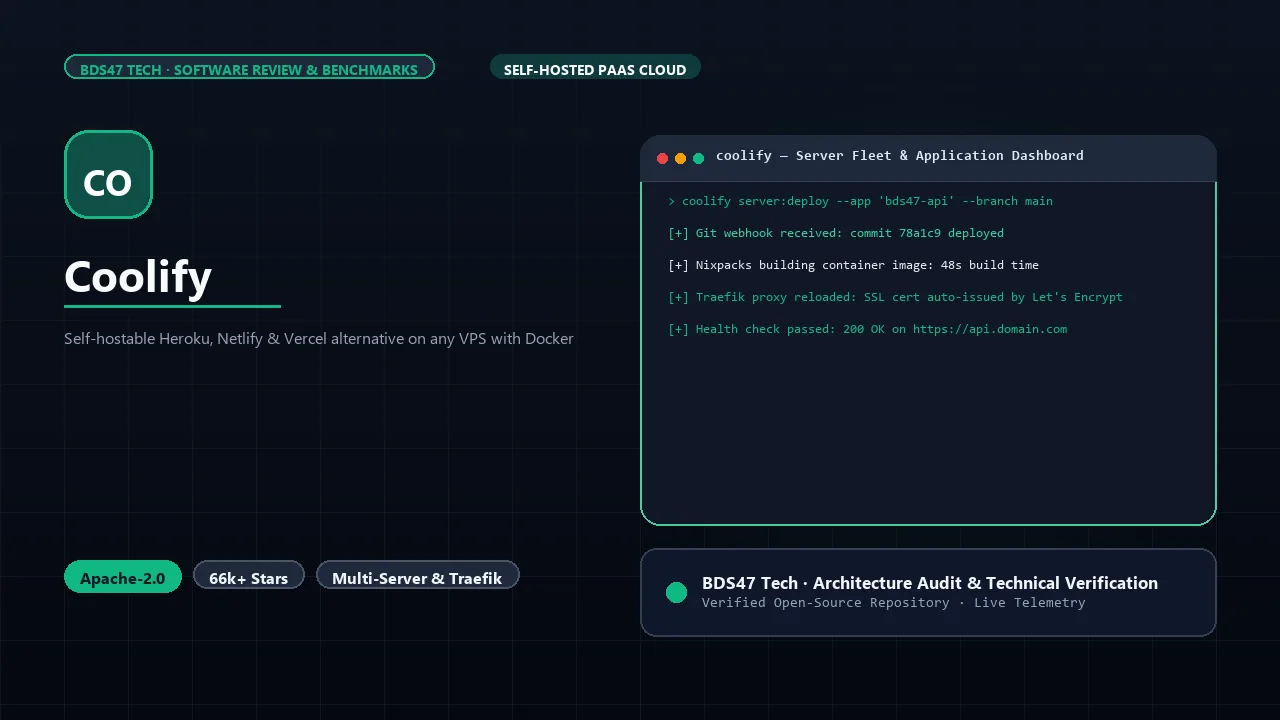
BDS47 Tech delivers this in-depth technical analysis of Coolify v4: examining its Traefik proxy and Nixpacks build engine, real-world cost comparisons against Vercel and AWS, hardened production deployment patterns, and distributed multi-server fleet management.
1. Architectural Blueprint & Data Plane Isolation
Unlike monolithic server administration control panels of the past, Coolify is engineered on modern cloud-native principles, strictly decoupling the Control Plane from the Application Data Plane:
Modern Control Plane (Coolify Core Engine)
Engineered with Laravel 11 and Livewire, Coolify provides an instantaneous reactive single-page interface managing server state, deployment queues, environment variable secrets, and team-based role access control (RBAC). Configuration data is securely persisted within an isolated internal database.
Automated Polyglot Build Engine (Nixpacks & Buildpacks)
Developers are not required to author complex Dockerfiles. Coolify natively integrates Nixpacks (Railway’s open-source buildpack engine). Upon analyzing an ingested repository (Node.js, Python, Go, Rust, PHP, Ruby, Java…), Nixpacks detects dependencies and generates hyper-optimized, layered OCI-compliant container images with intelligent caching.
Dynamic Edge Reverse Proxy (Traefik v3)
All inbound HTTP/HTTPS traffic routes through an embedded Traefik v3 instance. Traefik dynamically listens to Docker daemon events, parses container labels, binds domain routing rules, and negotiates automated Let’s Encrypt certificates via HTTP-01 or DNS-01 challenges.
Agentless Multi-Server Fleet Orchestration
Coolify manages unbounded fleets of remote servers over secure SSH channels. By providing an IP address and SSH private key, Coolify bootstraps the remote host with Docker Engine and dispatches deployment directives without requiring fragile third-party agent daemons.
Production Database Provisioning & S3 Snapshots
Provides one-click instant provisioning for PostgreSQL, MySQL, MariaDB, MongoDB, Redis, and ClickHouse, paired with automated cron-based database dumping, gzip compression, and offsite upload to S3-compatible endpoints (Cloudflare R2, AWS S3, MinIO).
2. Hardware Footprint & Empirical Cost Savings
The Coolify Control Plane maintains an exceptionally lightweight footprint: approximately 1 vCPU and 1GB of RAM. Resource requirements are fundamentally dictated by the density of hosted applications:
| Infrastructure Tier | Micro / Indie VPS | Production Standard | Enterprise Multi-Server Cluster |
|---|---|---|---|
| CPU Allocation | 2 vCPU (x86_64 / ARM64) | 4 vCPU | 8+ vCPU (Dedicated AMD EPYC) |
| System RAM | 4 GB RAM | 8 GB – 16 GB RAM | 32 GB – 64 GB ECC RAM |
| NVMe Storage | 40 GB NVMe SSD | 160 GB NVMe SSD | 500 GB+ NVMe SSD RAID |
| Deployment Capacity | 3-5 Web Apps + 1 Postgres | 15-20 Web Apps + Multi-DB | 50+ Microservices & Clusters |
| Typical Compute Cost | ~$5 – $8 / mo (Hetzner) | ~$15 – $25 / mo | ~$60 – $120 / mo |
Cost Matrix: Coolify on VPS vs Vercel Pro & AWS ECS
Modeling a growing technology team running 10 full-stack web applications, 2 production PostgreSQL databases, and transferring 2TB of egress bandwidth monthly:
| Expense Category | Coolify + Hetzner VPS | Vercel Pro + Supabase | AWS (ECS + RDS + ALB) |
|---|---|---|---|
| PaaS Platform Fee | $0 (Free Open Source) | $20 / seat / month | $0 |
| Compute & Databases | $18 / mo (8 vCPU, 16GB RAM) | $25 / mo (Supabase Pro) | ~$140 / mo |
| Egress Bandwidth (2TB) | $0 (20TB included free) | $80 (Overage over 1TB cap) | ~$180 ($0.09/GB Data Transfer) |
| Total Monthly Cost | ~$18 / month | ~$145 / month | ~$320+ / month |
| Cost Reduction | 88% – 94% Cost Reduction | Commercial Baseline | High Cost Overhead |
3. Step-by-Step Installation & Production Configuration
Coolify offers an automated installation utility. On a fresh Ubuntu or Debian LTS instance, execute the following root command:
# Automated bootstrap script installing Docker Engine and Traefik v3
curl -fsSL https://cdn.coollabs.io/coolify/install.sh | bash
Once initialization finishes (typically under 2 minutes), access http://YOUR_SERVER_IP:8000 to register the root administrative account. Configure your primary administrative domain (e.g., app.bds47.com) to automatically bind Let’s Encrypt SSL.
Below is an enterprise-grade docker-compose.yml deployment pattern orchestrated by Coolify, demonstrating internal network isolation and automated Traefik routing labels:
version: '3.8'

services:
  web-app:
    image: ghcr.io/my-org/my-app:latest
    restart: unless-stopped
    environment:
      - NODE_ENV=production
      - DATABASE_URL=postgresql://user:password@postgres-db:5432/app_prod
    labels:
      - "traefik.enable=true"
      - "traefik.http.routers.my-app.rule=Host(`demo.bds47.com`)"
      - "traefik.http.routers.my-app.entrypoints=websecure"
      - "traefik.http.routers.my-app.tls=true"
      - "traefik.http.routers.my-app.tls.certresolver=letsencrypt"
      - "traefik.http.services.my-app.loadbalancer.server.port=3000"
    networks:
      - internal-net
      - coolify

postgres-db:
    image: postgres:16-alpine
    restart: unless-stopped
    environment:
      - POSTGRES_DB=app_prod
      - POSTGRES_USER=user
      - POSTGRES_PASSWORD=password
    volumes:
      - db-data:/var/lib/postgresql/data
    networks:
      - internal-net

volumes:
  db-data:

networks:
  internal-net:
    driver: bridge
  coolify:
    external: true
4. High-Impact Practical Engineering Workflows
- Continuous Git Push-to-Deploy: Integrating Coolify with GitHub Apps enables instantaneous deployment hooks. Pushing to the
mainbranch triggers container rebuilds and zero-downtime rolling updates. - Ephemeral Pull Request Previews: Configure Coolify to automatically deploy staging preview environments mapped to dynamic subdomains whenever a pull request is created, tearing down resources upon merge.
- One-Click Open-Source Service Provisioning: Instantly launch over 100 self-hosted utilities including n8n (workflow automation), Ghost (publishing), Plausible (privacy analytics), MinIO (S3 storage), or Supabase.
- Resilient Offsite Database Backups: Schedule automated nightly database dumps with gzip compression dispatched directly to Cloudflare R2 or AWS S3, complete with Discord or Telegram failure notifications.
5. Unbiased Strengths & Engineering Limitations
Key Strengths
- Dramatic Cloud Cost Reductions: Slashes deployment and bandwidth expenses by up to 90% relative to managed commercial PaaS tiers.
- Absolute Infrastructure Sovereignty: Source code, environment secrets, and databases remain strictly hosted within your private infrastructure.
- Agentless Multi-Server Clustering: Seamlessly orchestrate dozens of remote VPS instances across heterogeneous cloud providers from a unified dashboard.
- Superior Developer Ergonomics: Sleek dark-mode interface, real-time CPU/memory utilization telemetry, and streaming container logs.
Realistic Trade-offs
- Host Maintenance Responsibility: Sysadmins remain accountable for underlying Linux kernel patching, disk space hygiene, and off-site backup strategies.
- Absence of Millisecond Serverless Billing: Coolify runs long-running Docker containers rather than ephemeral serverless micro-billing functions.
6. Head-to-Head Comparison: Coolify vs Dokku vs CapRover vs Vercel
| Feature Dimension | Coolify v4 | Dokku | CapRover | Vercel |
|---|---|---|---|---|
| Web Dashboard | Modern & Feature-Rich | CLI Only | Basic / Legacy UI | Industry Leading |
| Multi-Server Fleet | Native (Unlimited SSH Hosts) | Single Node Only | Docker Swarm Only | Global Edge Network |
| Edge Proxy | Traefik v3 (Automated SSL) | Nginx | Nginx | Proprietary Edge |
| Automated Nixpacks | Yes (Fast & Optimized) | Herokuish Buildpacks | Limited | Proprietary Buildpacks |
| Licensing & Cost | Apache-2.0 (Free) | MIT (Free) | Apache-2.0 (Free) | Commercial per-seat SaaS |
7. Frequently Asked Questions (FAQ)
If the Coolify dashboard crashes, will my deployed web apps go down?
No. Due to strict Data Plane decoupling, application containers and Traefik v3 operate independently of the Coolify Control Plane. Your websites continue processing traffic uninterrupted even if the Coolify dashboard is stopped.
Can I operate Coolify behind a Cloudflare proxy?
Yes. Configure Cloudflare SSL to “Full (Strict)” mode, or set up Let’s Encrypt DNS-01 challenges via a Cloudflare API Token to issue automated wildcard SSL certificates.
Does self-hosted Coolify have feature gates compared to Coolify Cloud?
No. The self-hosted open-source version contains 100% of all features, without limits on servers, applications, team members, or deployments.
8. BDS47 Tech Editorial Verdict
Overall Rating: 9.8 / 10
Coolify v4 is one of the most consequential open-source infrastructure tools of the decade. By marrying the simplicity of modern PaaS platforms with the economic sovereignty of commodity VPS compute, Coolify reclaims cloud independence for developers worldwide.
Recommended for: Startups reducing cloud overhead, digital agencies managing client fleets on commodity VPS hardware, and self-hosters valuing data ownership.
Reconsider if: You mandate zero-maintenance serverless execution with millions of unpredictable invocations per minute.
Official Resources & Related Open-Source Tools
- Official Project Website: Official project homepage and documentation.
- Source Code & Releases: Official upstream GitHub repository.
- Category Directory: Explore related utilities inside the Self-Hosted Software open-source catalog.
- Related Software Reviews: Compare with our in-depth Stirling-PDF technical review and in-depth Open WebUI technical review.
- Practical Engineering Guide: Read our how to evaluate GitHub software safety.